Delhi Development Authority (DDA) is the statutory development authority responsible for planning and development functions across Delhi. It was created in 1957 under the Delhi Development Act and works in areas such as housing, land management, land disposal, planning, development of public spaces and other urban-development activities.
Vikas Sadan at INA is DDA’s main office and is also an important point of contact for housing, land and public-interface matters. At the same time, many services are now available online through DDA’s AAWAS, citizen-service and departmental portals. Applicants should use the service connected with their housing scheme or property rather than expecting one universal login for every DDA function.
Quick About Delhi Development Authority
| Particular | Details |
| Authority Name | Delhi Development Authority |
| Short Name | DDA |
| Type | Statutory development authority |
| Established | 1957 |
| Established Under | Delhi Development Act, 1957 |
| Administrative Ministry | Ministry of Housing and Urban Affairs, Government of India |
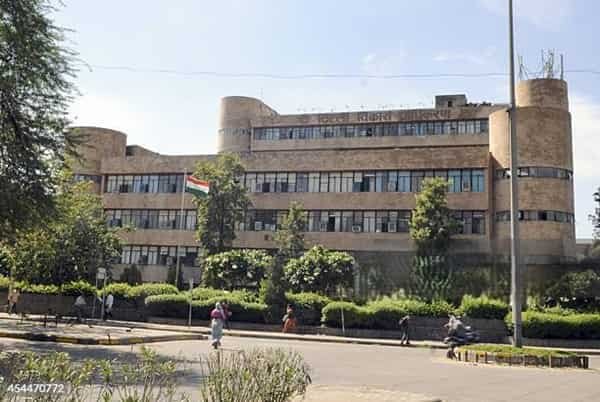
| Head Office | Vikas Sadan, INA, New Delhi – 110023 |
| Helpline | 1800-11-0332 |
| Main Housing Portal | New AAWAS Portal |
| Major Services | Housing, land, property, conversion, mutation, appointments and grievances |
| Official Website | https://dda.gov.in/ |
What Does Delhi Development Authority Do?
DDA’s work extends beyond housing allotment. It is involved in planning, land and development functions that affect different parts of Delhi.
Major responsibilities include:
- Preparation and implementation of development plans
- Development and disposal of housing
- Land management and land disposal
- Development of commercial and institutional land
- Property conversion and mutation-related services
- Development and maintenance of selected parks and public spaces
- Land pooling and planning-related functions
- Citizen services connected with DDA flats and plotted properties
Delhi Development Authority Vikas Sadan Office Address
Vikas Sadan is the principal DDA office and houses several departments and public-interface functions.
| Office Detail | Information |
| Office | Delhi Development Authority |
| Building | Vikas Sadan |
| Area | INA |
| City | New Delhi |
| PIN Code | 110023 |
| Helpline | 1800-11-0332 |
| Public Interface Email | dda-web@dda.gov.in |
DDA also holds public hearings according to schedules published on its official website. For routine housing, status and payment work, applicants should first check whether the service can be completed online before visiting Vikas Sadan.
Delhi Development Authority Online Login
Housing applicants generally use DDA’s New AAWAS Portal for current housing-scheme services. Other property matters may use separate online systems such as IDLI, housing citizen services or land-management services.
A typical housing login process is:
- Open the official DDA website.
- Choose the New AAWAS Portal or the relevant online public service.
- Register or sign in using the credentials requested by that service.
- Select the current housing scheme or property service.
- Complete applicant or allottee details.
- Upload documents where required.
- Complete payment or booking steps, if applicable.
- Save the application, registration and transaction details.
Because DDA operates several systems, users should follow the instructions displayed for the exact service they need.
How to Check DDA Application or Allotment Status
The correct status facility depends on the type of application.
| Requirement | DDA Facility to Check |
| Housing registration/allotment | Registration/Allotment Query |
| Priority status | Priority Status facility |
| Payment details | Housing Registration Query / Payment Details |
| Mutation, address change, cancellation or refund | Relevant request-status facility |
| PM-UDAY application | Applications Status tab in PM-UDAY portal |
| Current housing booking | New AAWAS applicant account |
Applicants should keep the registration number, application details and payment information used during submission. If a status page asks for a particular reference number, use the number issued for that service rather than a general DDA file number.
Delhi Development Authority Housing Schemes
DDA periodically launches housing through first-come, first-served booking, draw of lots and e-auction formats. Scheme status changes frequently, so dates should always be checked on the current housing page.
As of September 2026, DDA’s official website shows recent or active housing activity including:
- DDA Nagrik Awaas Yojana 2026, with an official extension up to 30 September 2026
- DDA Karmajeevi Awaas Yojana 2026
- DDA Towering Heights Karkardooma Housing Scheme 2026 under FCFS format
- DDA Premium Housing Scheme 2026 through e-auction
- Additional flats and booking-related updates under current housing initiatives
A scheme name appearing in the DDA archive does not necessarily mean booking is open. Check the latest circular, brochure and AAWAS portal before paying a registration or booking amount.
Major DDA Online Services
DDA currently provides a broad range of online facilities, including:
- New AAWAS Portal: Current housing-scheme registration and booking.
- Registration/Allotment Query: Housing registration and allotment-related checks.
- IDLI System: E-mutation, e-conversion and extension-of-time services for applicable properties.
- Online Appointment: Appointment facilities for selected departments.
- Land Records and Scanned Ledgers: Access to available land records and files.
- E-Auction: Online bidding for eligible DDA properties.
- Citizen Centric Services: Selected land and property requests.
- Public Grievance: Grievance submission through the relevant government grievance system.
Documents You May Need
The exact list depends on the housing or property service. Common requirements can include:
- Aadhaar or accepted identity proof
- PAN card
- Address proof
- Photograph and signature
- Housing application or registration number
- Allotment letter
- Property documents
- Payment receipt or bank details
- Documents supporting mutation, conversion or transfer requests
Always use the checklist provided for the specific DDA service.
Important Points Before Using DDA Services
- Use the official DDA website and linked government portals only.
- Verify whether a housing scheme is currently open before booking.
- Save registration, application and payment references.
- Read the scheme brochure before choosing a flat or payment plan.
- Use the correct departmental portal for mutation, conversion or land matters.
- Do not confuse older housing-scheme pages with current booking opportunities.
- Check DDA circulars for extensions, added inventory or revised conditions.
Frequently Asked Questions
Q. Is Vikas Sadan the main office of Delhi Development Authority?
Yes. DDA lists Vikas Sadan, INA, New Delhi – 110023 as its main office. Several DDA departments and public-interface functions operate from this complex.
Q. Can I check a DDA housing registration or allotment online?
Yes. DDA provides Registration/Allotment Query and related status facilities, while current housing applicants can also use their AAWAS account for applicable scheme information.
Q. Why do different DDA services have different login pages?
DDA’s housing, land-management, conversion, mutation and other citizen services are handled by different systems. The correct portal depends on the service or property type.
Q. What should I do if an old DDA scheme appears in online search results?
Open the current DDA housing page and check the latest circular and brochure. Older scheme pages remain online for records, results, cancellation or post-allotment work.
Q. Can a PM-UDAY application be tracked online?
Yes. DDA’s official PM-UDAY guidance states that applicants can view the current status under the Applications Status tab of the PM-UDAY portal.
Q. Should I visit Vikas Sadan for every DDA query?
Not usually. Many housing, property and status services are online. Visit the office when the specific service requires physical documents, execution, a scheduled hearing or in-person assistance.