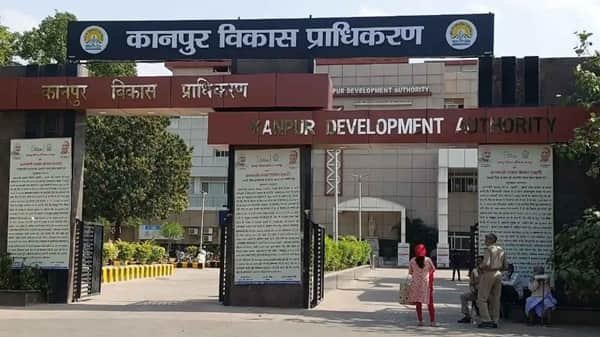
Kanpur Development Authority (KDA) is the urban development authority responsible for planned growth and development in Kanpur. Its work includes housing and plot development, infrastructure, property allotment, property management, master planning, building-related functions and disposal of residential and non-residential properties.
KDA provides several online services for allottees and applicants. The official website links to an Online Property Information System, online payment facilities, a Property Management System, e-auction, scheme registration and lottery-result information. Existing allottees should use the property system connected with their KDA record rather than relying on unofficial property-search websites.
Quick About Kanpur Development Authority
| Particular | Details |
| Authority Name | Kanpur Development Authority |
| Short Name | KDA |
| Type | Urban development authority |
| Governing Framework | Uttar Pradesh Urban Planning and Development Act, 1973 |
| Headquarters | Kanpur, Uttar Pradesh |
| Head Office | Moti Jheel Campus, Kanpur, Uttar Pradesh |
| Phone | 0512-2556292, 0512-2556293 |
| kda@kdaindia.co.in | |
| Main Online Facility | Online Property Information System |
| Other Services | Online payment, e-auction, property management and scheme registration |
| Official Website | Kanpur Development Authority |
What Does Kanpur Development Authority Do?
KDA combines development planning with property and allotment services.
Major responsibilities include:
- Development of residential and commercial schemes
- Allotment and management of KDA properties
- Master-plan and layout-related work
- Infrastructure and urban-development projects
- Property dues and payment management
- E-auction of residential and non-residential properties
- Publication of lottery results and applicant lists
- Property information and post-allotment services
- Building and sanctioned-map related functions
Kanpur Development Authority Office Address
KDA’s main office is located at Moti Jheel Campus in Kanpur.
| Office Detail | Information |
| Office | Kanpur Development Authority |
| Campus | Moti Jheel Campus |
| City | Kanpur |
| State | Uttar Pradesh |
| Phone | 0512-2556292, 0512-2556293 |
| Fax | 0512-2551880 |
| kda@kdaindia.co.in |
Existing allottees can complete several tasks through KDA’s property portals. A physical visit is more useful when original documents, legal verification or a service not supported online is required.
Kanpur Development Authority Online Login
The KDA Online Property Information System provides an Existing Allottee Login and registration process for existing allottees who are using the portal for the first time.
The general process is:
- Open KDA’s official Online Property Information System.
- Existing registered users can select the allottee login option.
- First-time existing allottees should choose registration.
- Enter the property and identity details requested for verification.
- Provide a mobile number and email address.
- Use the login credentials generated for the account.
- Open the property record or required online service.
- Save any application or payment acknowledgement.
KDA states that future communications for registered allottees may be sent to the email address entered during portal registration.
How to Check KDA Property or Application Status
Different online tools are used for property, scheme and lottery information.
| Requirement | KDA Facility to Check |
| Existing property details | Online Property Information System |
| Property search | View Property / Search Property |
| Online dues/payment | KDA property payment service |
| Lottery result or applicant list | Lottery Result / Draws & Applicants section |
| Scheme registration | Online registration page |
| E-auction | KDA e-Auction page |
The property search can use scheme and property information, while registered allottees can log in to view their account details. Keep the property number, property ID/code, registered mobile number and payment reference available.
Kanpur Development Authority Schemes
KDA continues to offer properties through schemes, registration and e-auction. Availability changes with each notice.
The official KDA website currently lists running-project information and provides separate Running Schemes, Registration, Lottery Result and E-Auction sections. In September 2026, KDA’s e-auction page also showed a commercial-property auction with registration from 7 September to 21 September 2026 and bidding scheduled through 22 September 2026.
KDA’s website additionally lists project names such as KDA Greens, KDA Dreams, Jawaharpuram projects, Himgiri, Himalaya and Aman Enclave. A project appearing on the website does not by itself confirm that fresh applications are open, so applicants should check the current scheme or auction notice.
Major KDA Online Services
Important digital facilities include:
- Online Property Information System: Existing-allottee login, registration and property search.
- Online Payment of KDA Properties: Payment of applicable property dues.
- Property Management System: Property and allottee services.
- E-Auction: Online bidding for selected properties.
- Online Registration: Registration for currently offered schemes.
- Lottery Result: Published draw results and applicant lists.
- Sanctioned Maps: Access to available sanctioned-map and layout information.
- Notices and Booklets: Scheme, auction and property instructions.
Documents You May Need
The required records depend on the service. Users may need:
- Aadhaar or other identity proof
- PAN card
- Address proof
- KDA allotment or property documents
- Property number, ID or code
- Registered mobile number and email
- Photograph and signature
- Application or registration number
- Payment receipt
Scheme applicants should use the document list in the latest booklet or advertisement.
Important Points Before Using KDA Services
- Use the official KDA website and property system.
- Register existing allottee details carefully because portal credentials are tied to the record.
- Check the latest auction or scheme dates before making payment.
- Save property ID, registration number and payment receipt.
- Verify whether a project page represents an active offer or only project information.
- Use the Lottery Result section for published draw information.
- Contact the official KDA helpdesk for portal or property-record problems.
Frequently Asked Questions
Q. Can an existing KDA allottee create an online account?
Yes. The Online Property Information System provides a first-time registration process for existing allottees, followed by login access to applicable property details.
Q. Can I search a KDA property without visiting the office?
KDA provides an online property-search facility where users can search using scheme and property-related information available in the system.
Q. Where are KDA lottery results published?
The official website has a Lottery Result and Draws & Applicants section for published draw results and applicant lists.
Q. Are all properties sold through the same method?
No. KDA may use registration, lottery-related allotment, direct scheme processes or e-auction depending on the property and current notice.
Q. What should I do if my property is not visible in the online system?
Use the help option provided by the property portal and contact the official KDA helpdesk with your allotment and property documents for verification.
Q. How do I know whether a KDA scheme is currently open?
Check the latest Running Schemes, Registration, Notices and E-Auction sections. Do not rely only on a project name shown elsewhere on the website.